Your hours history
See hours left, hours set aside for work in progress, and every line that moved your hours, in Plan & hours.
Updated
Every hour is accounted for. Open Settings → Plan & hours to see where yours went.
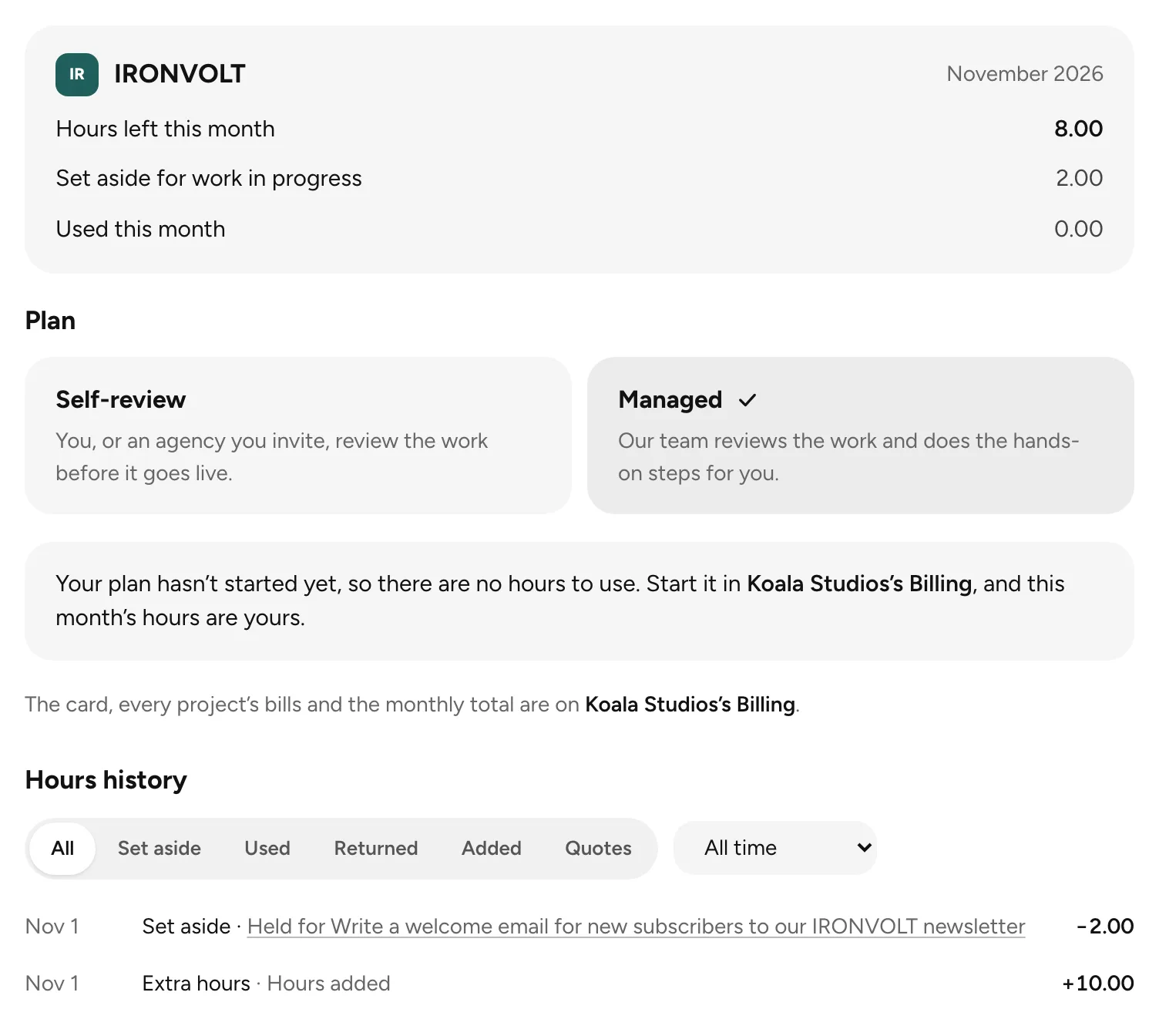
The summary
- Hours left: what you can still confirm.
- Set aside for work in progress: hours held for work you’ve confirmed that isn’t ready yet.
- Used this month: hours for work already presented for review, or delivered.
The sidebar shows your hours left too, under the project’s name.
How hours move
- Set aside. Confirming a quote holds its hours.
- Used. The hours are used when the work is ready for your review, or delivered if it has no review.
- Returned. Hours come back when you cancel before work starts, or when a mistake is ours.
The history
Hours history lists entries newest first. Filter by period. Some lines link to their work item.
Lines you may see:
| Line | What it means |
|---|---|
| Set aside | Held for work you confirmed |
| Used | Used by work presented for review or delivered |
| Returned | Came back to you |
| Pack | Hours you bought in a pack |
| Lapsed | Hours from a pack that weren’t used within 12 months |
| Transfer | The project changed owner. Hours that moved with it show on their own line |
Quotes don’t move any hours, so the history leaves them out.
Was this helpful?